Deployment Guide
Driver Architecture
Dedicated Redundant IPFusion Data Servers
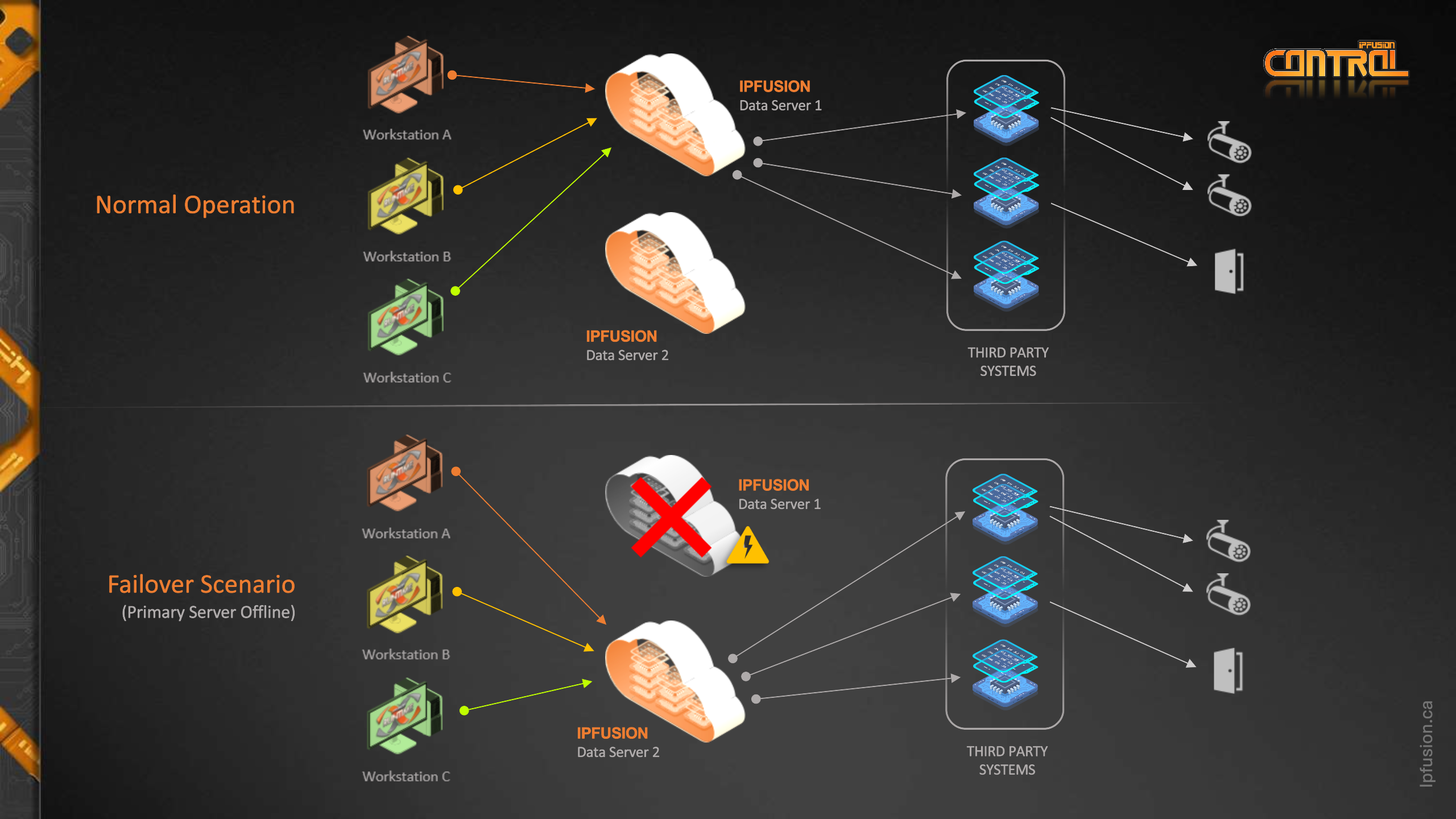
This deployment architecture is recommended for medium and large deployments with many IPFusion workstations. It provides the most flexibility and reduces communication load on third-party systems.
| Pros | Cons |
|---|---|
|
|
Independent IPFusion Workstations
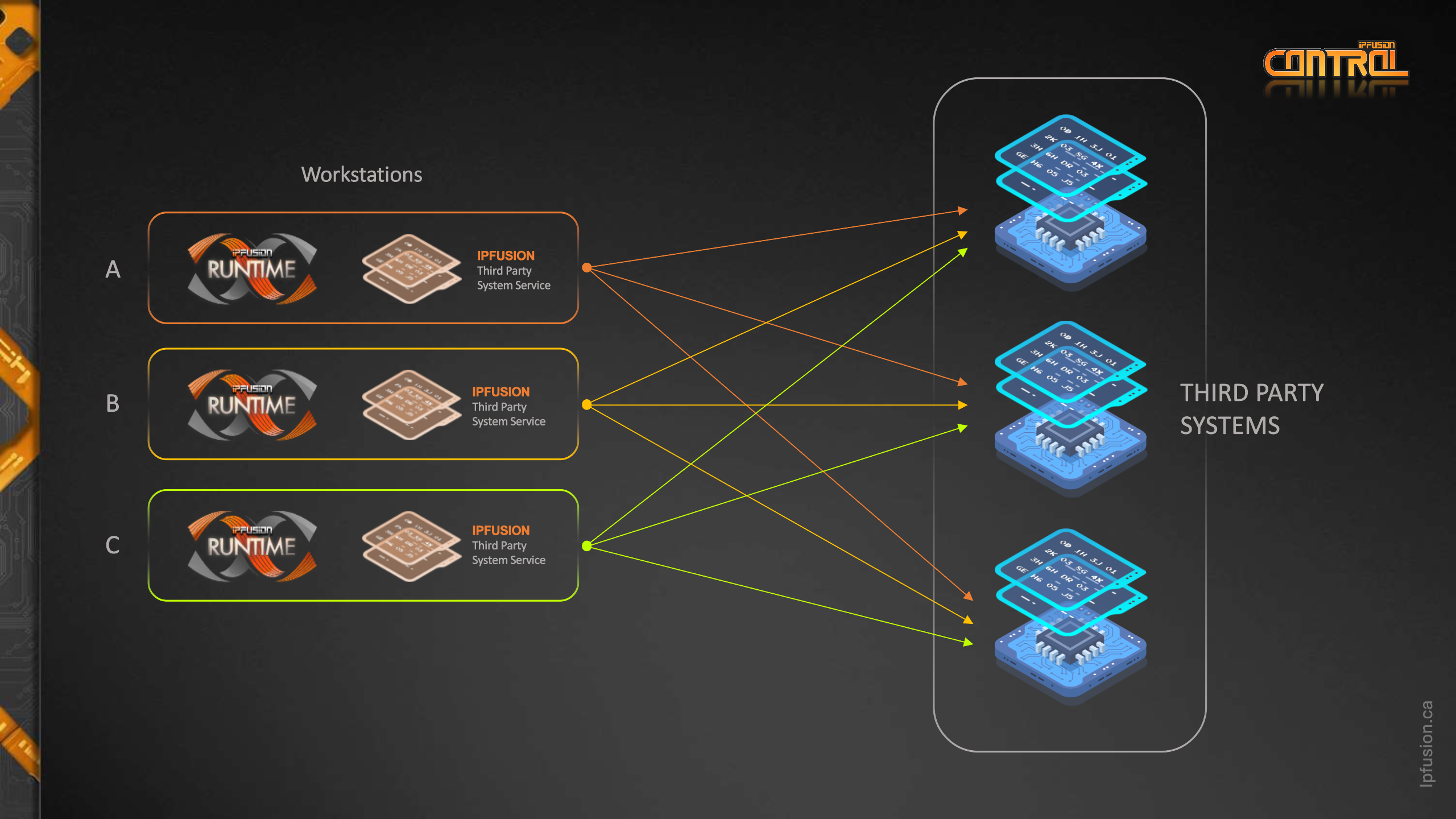
This deployment architecture is recommended for small sites with fewer IPFusion workstations. In this model, each third-party system will need to provide bi-directional communication to each workstation. Often, third-party systems, such as PLCs, provide a limited number of concurrent connections.
| Pros | Cons |
|---|---|
|
Creates many connections to third-party systems, which increases communication load on the third-party system. This is an important consideration when working with third-party systems that are limited in client connections.
|
Maintenance Workstation
Regardless of the architecture chosen it is highly recommended to make use of a
maintenance workstation. This should be a computer on the network that is not
being used by operators and not running Runtime. This computer should have
Designer, debug tools, Access and Identity Management, and any other tools
needed for maintaining your IPFusion project. This computer will be used as a
publication server, allowing you to make changes to the project and push updates
remotely to other workstations with minimal disruption to operators. This
computer can also be used for collecting logs and debugging any issues without
interruption to the operators. 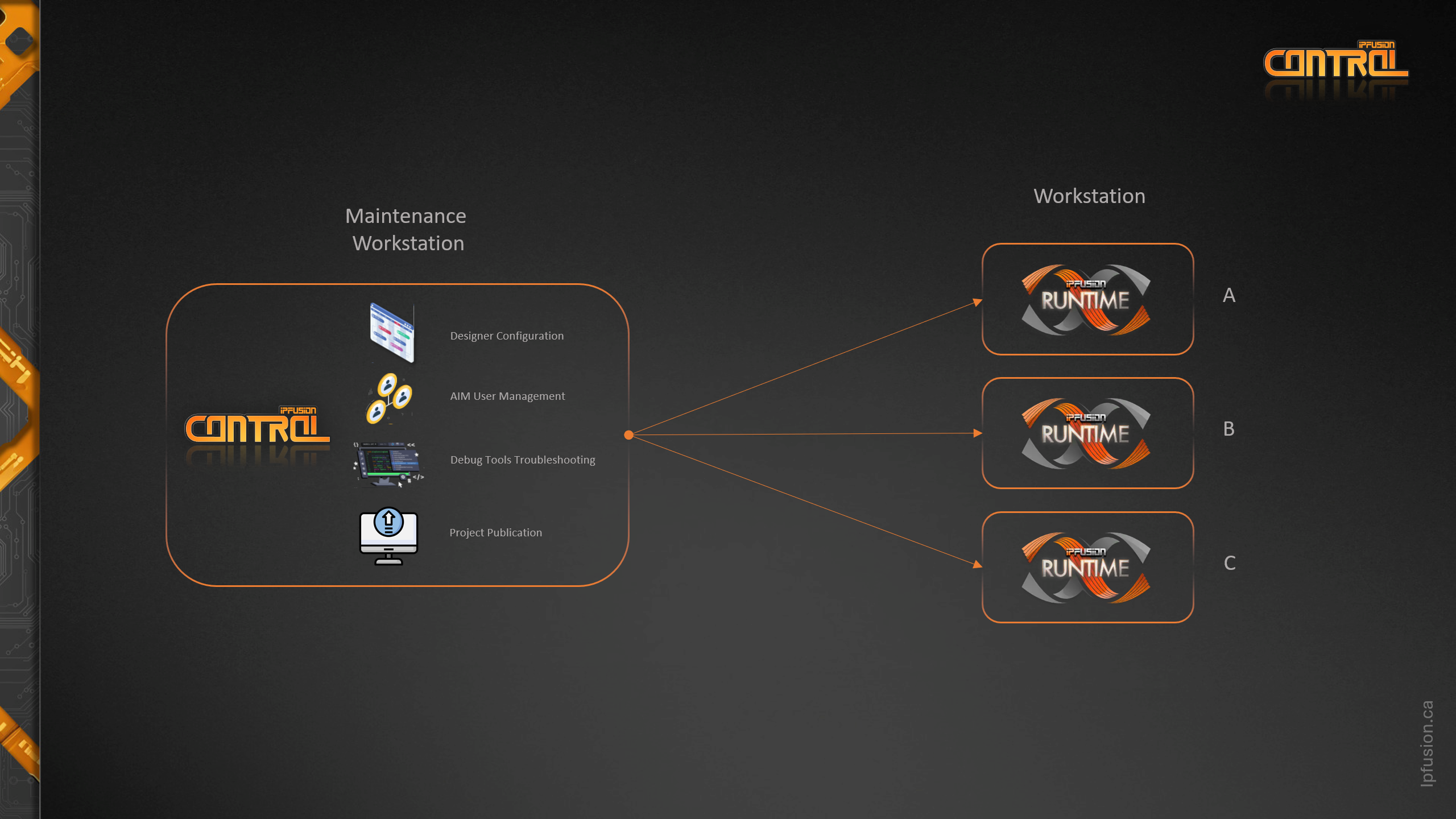
Audit Trailing and Reporting
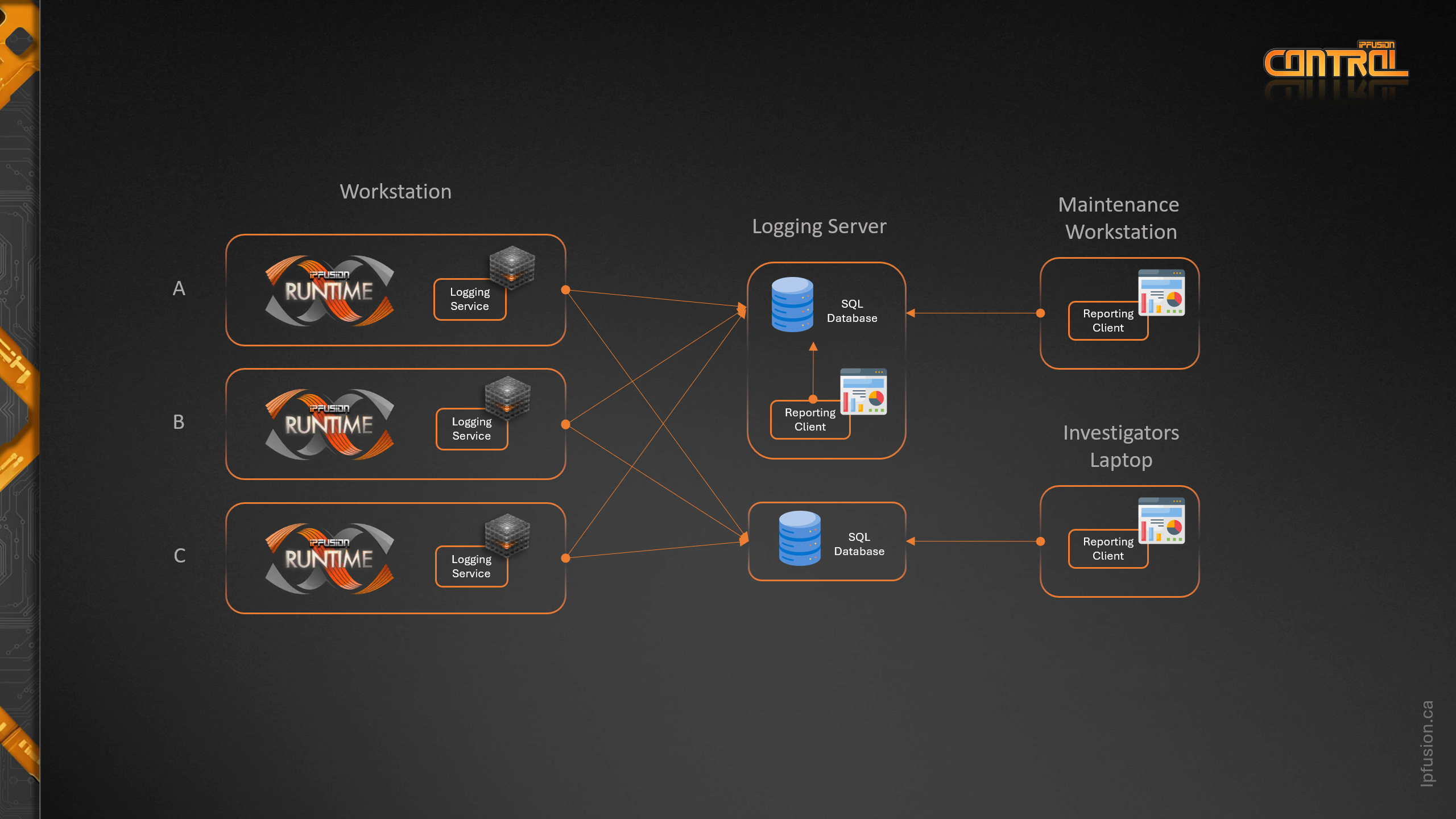
Typically, a dedicated server (physical or virtual) is recommended for audit trailing and reporting; however, the audit trailing software can be installed on any computer as long as it is reachable by IPFusion workstations on the network.
In smaller sites, the maintenance computer can also be used for audit trailing and reporting purposes. Microsoft SQL Server and IPFusion audit trailing software can be installed on the maintenance workstation and used as the logging server for all workstations. The reporting tool can be installed on the maintenance workstation which allows investigators to review incident logs from a workstation that will not interrupt operators.
Audit trailing supports a secondary logging server which can be used on sites where full redundancy of audit trailing data is required. SQL Database mirroring is another option where redundancy of audit trailing is required.