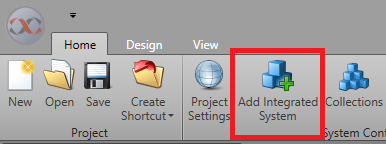
An Integrated System is a plug-in component that allows a third-party system to
communicate with IPFusion. Before you can use an Integrated System in IPFusion, you must add
it to your project. You can have as few or as many Integrated Systems as you would
like.
-
In .
-
Click the drop-down menu for Type and select the
Integrated System to add to your project. You can either leave the
Name for the system at its default, or replace it
with a custom name.
-
Choose a Design Mode and select between
Default and Advanced.
The configuration settings for the system will appear.
-
You may configure your
integrated system now or at a later time.